





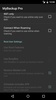
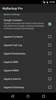

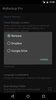
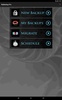
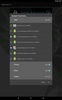
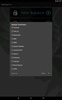
Discover the power of comprehensive data protection with My Backup, the premier backup solution for Android users seeking to safeguard their digital life. This app caters to a vast array of content types and is compatible with an extensive variety of Android devices, ensuring that your precious data remains intact no matter what.
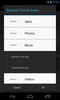
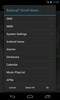
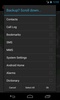
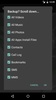
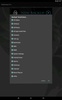
With this tool, users can effortlessly secure their applications, photos, music, videos, contacts, call logs, browser bookmarks, text and multimedia messages, calendars, system settings, dictionaries, music playlists, APNs, and more to their local device storage or SD card. For enhanced convenience, there is also the ability to backup via an On The Go (OTG) USB card.
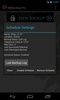
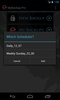
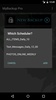
One of the standout features is the seamless scheduling capability, which enables users to set up multiple automatic backups, ensuring that data is consistently up-to-date without manual intervention. For those with rooted devices, the app extends its functionality by allowing the backup of both APKs and their associated data.
The Pro version elevates the user experience by introducing cloud backup options, including Rerware Cloud, Dropbox, and Google Drive, as well as the added flexibility to backup and restore across numerous Android devices under a single account. Pro users can also enjoy direct backups to their computers over the internet, WiFi data migration between devices, and the ability to manage their backups online.
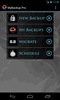
Additionally, the Pro version grants rooted device users an array of advanced tools to manage their applications more effectively, from freezing and defrosting to clearing app cache and uninstalling unwanted bloatware.
Essential for any Android device owner, this backup solution empowers users to maintain a secure and easily recoverable copy of their personal data. Join the community of over 5 million users who trust this app with their data security needs. Please note that the backing up and restoring of application data and settings is contingent upon having a rooted device or application integration.
My Backup stands as a highly recommended solution for Android backup, having garnered positive endorsements from prominent technology platforms, emphasizing its reliability and effectiveness in protecting user data.
Requirements (Latest version)
- Android 4.1, 4.1.1 or higher required


 1 reviews











Comments
There are no opinions about My Backup yet. Be the first! Comment